My GitHub Copilot-Powered Development Workflow
Published on
Throughout 2025, I’ve been experimenting with various ways to organize my development workflow with coding agents, trying to maximize the satisfaction of shipping a product while minimizing the human effort required to get things done.
Aside from the day-to-day work I do as a Solutions Engineer at GitHub, I’ve been building multiple projects that are either being used internally at GitHub, shared with our customers, or just personal apps that I build for myself. This gave me a great opportunity to try out different ways of working with coding agents (I primarily use GitHub Copilot, but as a learning experience I use others too) to see what works best for me.
Looking at my contributions graph for the past year, you can clearly see when agents enabled me to ship more:
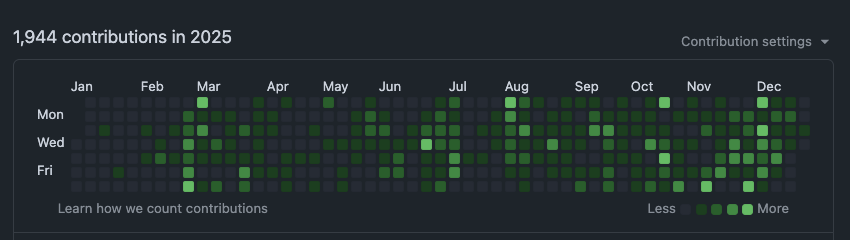
While I have been working as a developer professionally for over a decade and have been coding since I was a kid, I now have (almost) completely stopped writing code manually.
With the breakthroughs in AI-assisted coding, I have changed and adjusted my workflow many times, testing out some approaches that worked well and some that didn’t.
In this post, I’ll describe my current approach as of January 2026.
My Toolset
Naturally, my work is primarily built around GitHub Copilot, but most of these principles can be applied to other coding agents as well.
- IDE: I use Visual Studio Code Insiders as my primary IDE and JetBrains Rider for more advanced .NET work (I just like the debugging and profiling experience better there).
- GitHub Copilot CLI: Terminal based experience. Below, I’ll explain how I choose between IDE and CLI.
- GitHub Repositories and Issues: That’s where my code lives, that’s where I track my work.
- GitHub Copilot Coding Agent: Asynchronous coding agent, responsible for tasks that do not require interactive user input.
- GitHub Code Review Agent: Automatic code reviews.
- GitHub Advanced Security & CodeQuality: Security and code quality analysis.
- ChatGPT Projects: Some projects live in ChatGPT, where I use Projects to keep track of project context and decisions. I don’t do it for every project, but a couple live there. I’ll explain why.
- GitHub Mobile: Yup, I sometimes use mobile app to run Coding Agent tasks while on the go.
Vibe coding (sort of)
This term has its fans and haters. However, I’m at a place where I write almost no code manually.
Looking at the past 28-day telemetry:
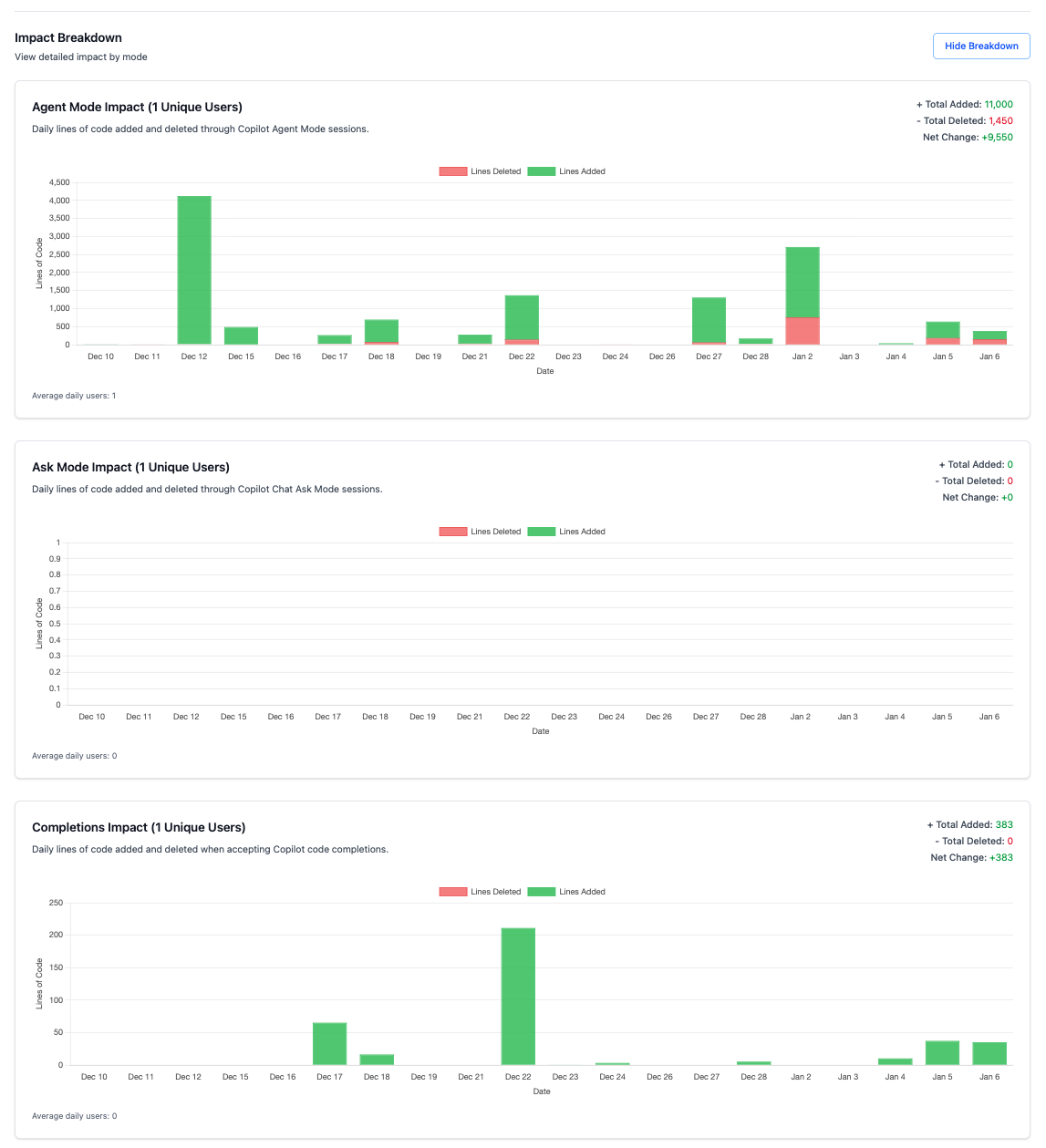
We can see that in this period, using Agent Mode I added 11k lines of code and deleted 1.4k loc with the net total of 9.5k lines of code contributed to the projects I work on. While the Completions show only 385 lines of code added. Those are mostly configs, comments, docs and small tweaks that don’t warrant an agentic session. Oh, and I don’t use Chat mode at all. Chat requires manual context management, while Agent Mode is more autonomous, I can just ask a question and let it find the relevant information online or in the repo itself.
Note: The telemetry does not include any code contributed outside of my IDEs (CLI and Copilot Coding Agent sessions are not tracked here). More about this dashboard in one of my previous posts.
That being said, I do not “vibe-code” as in the original sense of the term. I look at the code, I care about quality, I refactor, fully control what goes in and what does not. But the way I do it is different from what I used to do.
Flow
What has shifted the most for me is the way I approach codebase state. I define the architecture, the structure, components inside my app and then I let the agents do their thing. Naturally, the architecture shifts a little, abstractions that were created initially may not be working well. In a sense, I can say that I do not overplan as I used to, because in traditional engineering complex refactorings are expensive. That’s not really the case with coding agents. The code is cheap; my time is more valuable.
That means that the life of my codebase is more dynamic. We start with the initial structure, we build features, and then, when I notice that it’s time, I start an architecture review session, plan the refactoring interactively with Copilot, and once the plan is finalized, I let the agent execute it. This process used to be fragile in the beginning of 2025, but now it’s quite reliable.
Another signal for me to refactor is… AI-powered: Copilot Code Quality analysis does provide good feedback on the code health, and when I see that the score is dropping, it’s time to do some refactoring.

So, it is a loop now:
Stabilize architecture -> Build features -> Analyze code quality -> Refactor -> Repeat.
While it felt a little uncomfortable in the beginning, I find it to be a nice balance between control, speed of development, and flexibility.
With this dynamic approach in mind, here’s how I decide which tool to use for which task.
When I choose CLI vs IDE vs Coding Agent
I spoke about it in Copilot Customization blog post, but to summarize:
Whenever I have a task in mind, I already “feel” if this is a task that requires an interactive approach, or can be fully delegated to an agent, and if it requires me having a full “picture” in front of me.
Well-scoped tasks that I know the agent can handle on its own, I delegate to Copilot Coding Agent (in the cloud) or run locally as Background agent (it’ll create a new git worktree and run on my machine without interfering with my IDE session).
Tasks that I know will take some time to complete, but do not require me to be fully engaged, I run in CLI mode.
These will be (not exhaustive list):
- Project Scaffolding: When I can provide a clear prompt and the agent will take time.
- Large Refactorings: When I have a clear plan and the agent can execute it.
- Non-coding tasks: Docs, codebase analysis.
- Features in the familiar codebase: If I keep the project in my head fully, and I have the implementation plan ready, I can just point CLI to the files that need to be updated and describe a feature to be added.
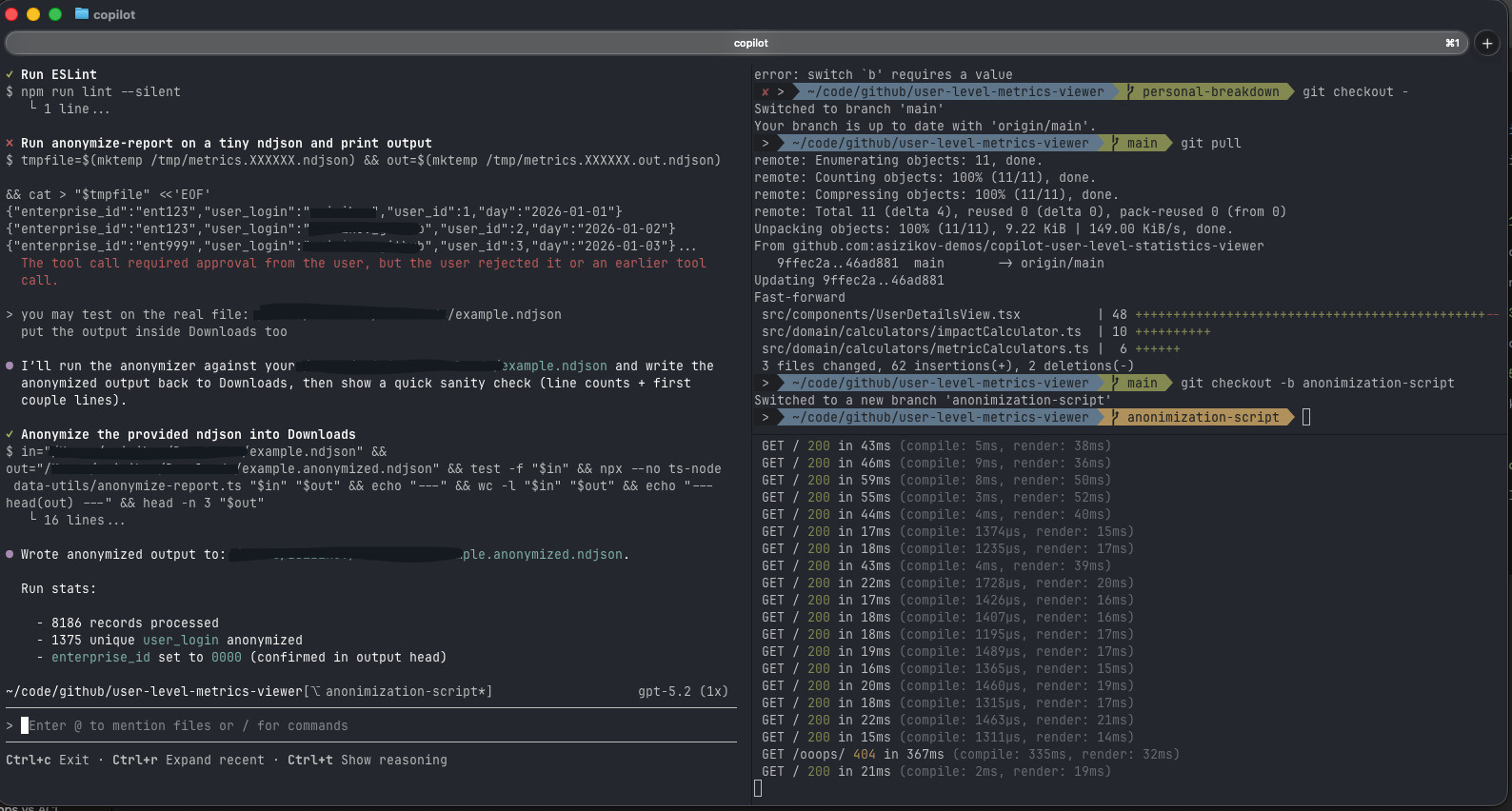
Finally, tasks that require me to be fully hands-on, I do in IDE.
These would often be tasks that I don’t know how to solve upfront. I will chat with the agent, run planning mode, ask it for suggestions, iterate on the design. I would need to explore the codebase (done easier in IDE, the muscle memory helps here).
Tasks that would require some research upfront: fetching docs from external sources, asking Copilot to run CLI tools to do something with the infrastructure. In this case, I find it easier to control what the agent is doing. I can stop, interrupt, update the tool call.
Another category is when I need to do a lot of UI polishing work. Being able to attach screenshots via VS Code Simple Browser tool is priceless here.
What I noticed though, is that over time, as I get more comfortable with the CLI tools (or they getting better?), I tend to move more and more tasks to them.
Copilot Code Review Agent and Code Quality
Most of the projects I work on I act as a solo developer. Which means I’m the one responsible for building the code and making sure it’s of high-enough quality. Still, I use the tools at my disposal to make sure the code is solid.
This part changed a lot compared to how I built personal projects before. I now produce more code than I used to, and the review stage becomes a bottleneck. Yes, I still need to check what I’m about to merge in, but an extra pair of eyes is a must.
Every PR goes through Copilot Code Review Agent, and the feedback it provides is getting better and better over time. It used to focus on simple things early on, looking only at the PR commit diff, but now it can analyze the full context of the codebase and understand the architecture. Which picks up code duplications, violation of design principles, and such. More often than not, I click “Apply suggestions” and let the agent fix the issues it found.
In addition to that, I use GitHub Advanced Security & CodeQuality analysis to catch issues in the codebase in a more deterministic way. Both tools are based on CodeQL, just focus on different aspects of code health.
ChatGPT Projects
ChatGPT has a Projects feature, which is essentially a way to keep several chats under one roof, with shared memory and context. I use it mostly for non-coding projects, but a couple of coding projects live there too.
I think the best example would be my home lab that I host on a small ARM-server at home. I keep notes on plans, some decisions that I made, some experiments with hosted AI models there. It’s not the product documentation, but more of a journal of what I’ve done and why. I also self-host some apps there, and before coding I discuss the high-level design based on the latest state of my lab and infrastructure. Then I move over to Copilot for implementation, when I have a solid understanding of what needs to be done.
On the go
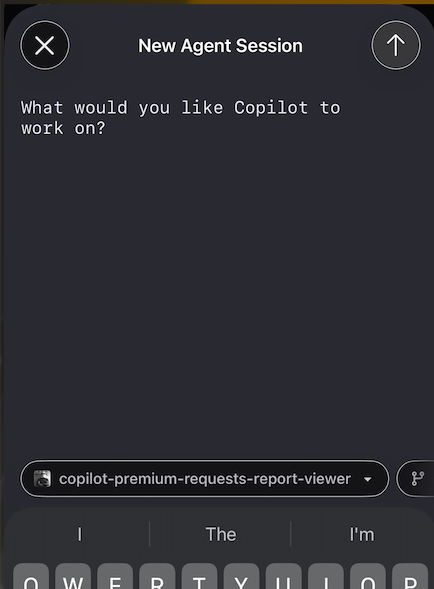
Another tool that I’ve never thought I’d use for coding is GitHub Mobile app. I mean, sure, I used it to check notifications, comment on PRs, but the experience is not ideal. Surely, doing that in the browser is easier.
And suddenly, I have an option to pick up the idea when I’m away from my computer (tell me I’m not the only one who gets “wait a minute, that sounds like a good feature” thoughts just before falling asleep) and assign Coding Agent to implement it. I’ll check the results next day, there is no rush.
What I never expected
Using AI to write code seems quite natural. I mean in the end of the day, the process is still the same, but I type prompts instead of lines of code. I still build it locally to test, I commit and create a PR, that runs through CI/CD pipelines, I deploy it. Just every step is augmented with AI assistance.
What I’m really happy about is what agents unlock for me outside of coding.
I needed to move my app from one Azure Compute resource to another. I know how to do that myself, but instead I gave copilot a logged in azure cli tool and asked it to do the migration for me. And it just did it. Yes, I needed to be around to confirm every step and change, but I personally, would take a few shortcuts, which the agent didn’t. Unlike me, it’s not lazy and never bored.
Another example: I had an annoying bug that was caused by some misconfiguration in one of the docker containers. Well, dear Copilot, here is the docker cli for you, and here is the symptom. Do figure it out and explain to me what went wrong.
What didn’t work for me
Well, this is an extremely dynamic space, there are many bright ideas out there, and I’ve tried quite a few of them. Some just didn’t stick, some worked for a while and then I moved on.
Spec-Driven Development.
Somewhere in the era of GPT-4.1 and Sonnet 3.5, agents were… well, not quite good at their job. They required a lot of steering, manual context management, they needed detailed specs to work from.
The spec-driven approach felt like a good solution. I tried a few tools for that, including a pretty hardcore speckit and a number of more lightweight solutions. They do the job, but I never liked the overhead they bring. Nowadays, with custom planning agents and much more capable models it’s just not necessary anymore. So I dropped them completely.
Agents orchestration tools.
This seems to be a hot topic these days (I get it, it looks awesome when you can kick off 5-8 agentic sessions in the terminal and watch them cook). But these workflows require a lot of focus to be working effectively. I just don’t have that much time, so I passed on that for now. Let’s see if it changes this year.
Looking ahead
So far, I can tell that the way of working has stabilized for me. What I’m looking forward to is better integration between different agentic tools. So far that handoff process still seems a little unnatural. Yes, we’re moving in the right direction towards more unified experiences, but I can clearly see that this agent is not the same as that agent. That context doesn’t follow between stages.
Sometimes it feels like, ok, this stage is modern already, but the next one is still stuck in 2023.
I’m curious to see what I would write in the end of 2026.
Happy coding!
Disclosure
I’m employed by GitHub at the time of writing this post. All opinions are my own.