Building Skills: How to Write a Good Agent Skill
Published on
Let’s talk about Agent Skills.
Using them is fun, but how to choose or even better, write a good one? Well, let’s find out! In this post we’ll build a simple Agent Skill from scratch, and along the way we’ll learn some important rules of writing good Agent Skills.
Understand the Purpose
We’ll start with the classics: “Hello World”. I like the aesthetics of ASCII art, and want my Agent to greet me with a fancy “Hello World”. How do I make it happen?
We have multiple ways to alter the behavior of an AI agent. The simplest one is to prompt it with what we want.
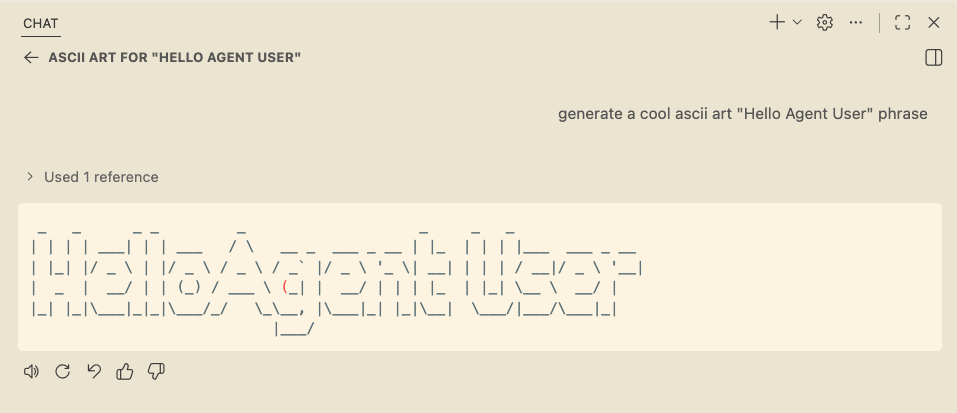
Of course, that only works if I remember to add these instructions to my prompt every time. Not very practical.
No big deal, we can save that behavior in AGENTS.md (or .github/copilot-instructions.md) file and the agent will always respond to our greetings the way I like.
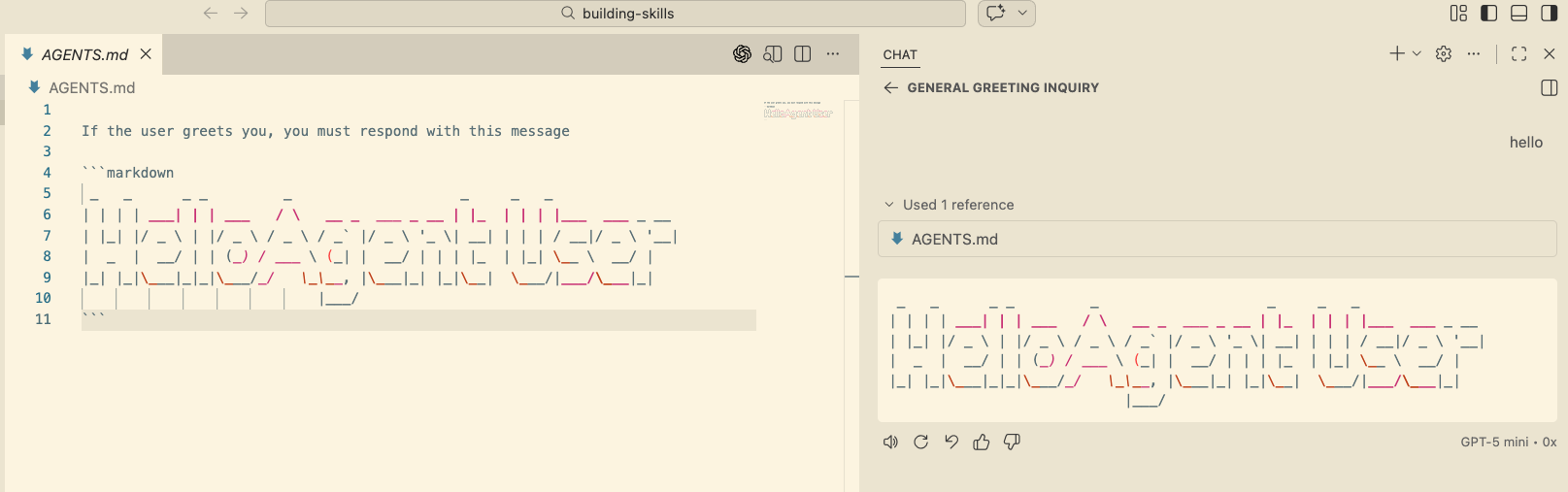
Note that AGENTS.md file is added to the context.
In fact, what happens is that the full content of AGENTS.md is prepended to every prompt we send to the agent.
We can see that in Copilot Debug Logs:
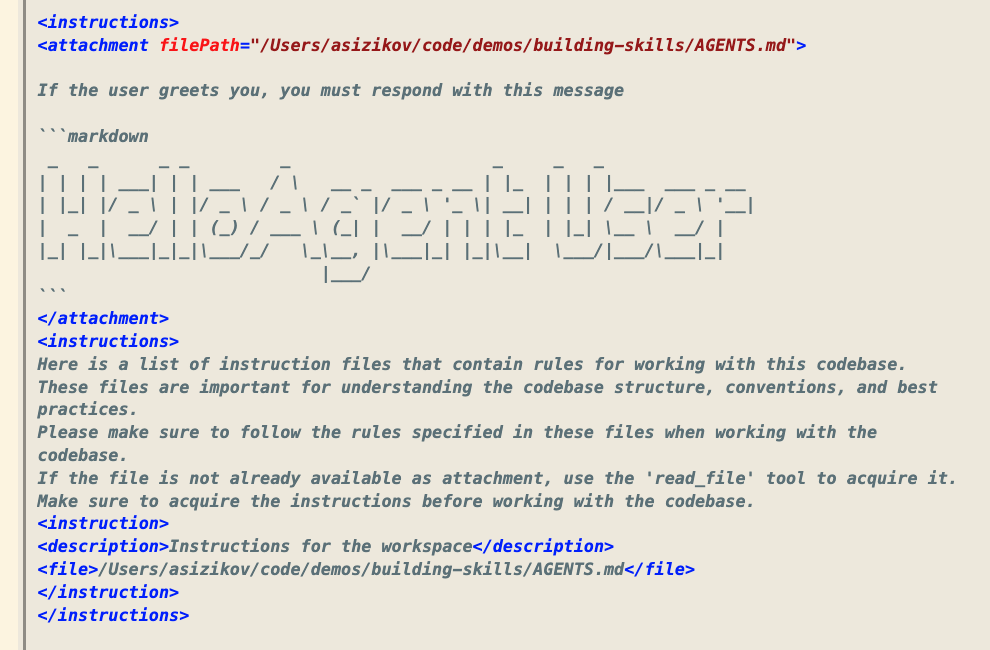
In many cases, this is exactly what we need. However, this ASCII art greeting only makes sense when I greet the agent. If I ask it to do something else, this banner will be just noise that eats up my context window, burns tokens, and may even confuse the agent.
What can we do about it? One option is to store the banner in a separate file and amend the instructions file to read the banner only when it’s time to say hi back to me. Yup, this pattern has a name - Progressive Loading.
This is a good pattern in general. Do not put everything in AGENTS.md file, but keep it as small as possible and hint the agent to load instructions from other sources as needed.
Introducing Agent Skills
What we did so far:
- Implemented contextual sub-task into our agent behavior
- Used Progressive Loading pattern to keep the main instructions file small and focused
But what if we want to go further? Adding “goodbye” banner, or teaching our agent to use our internal SDK or Design System? This would require us to keep adding prompts to instructions file: if this, read that, do this, etc.
Agent Skills are a way to package such behaviors into reusable modules that are natively supported by pretty much all AI agents out there, including GitHub Copilot.
Let’s create our first Agent Skill: we’ll place SKILL.md file into .github/skills/ascii-greeter directory.
Every Agent Skill must have SKILL.md file with front matter that describes the skill:
---
name: ascii-greeter
description: Produces a nice greeting message. Use this skill whenever the user says hi, hello or greets you in any other way in any language
---
If we run a new Copilot Session and check Debug Logs, we’ll see that Skills descriptions are automatically loaded into the context:
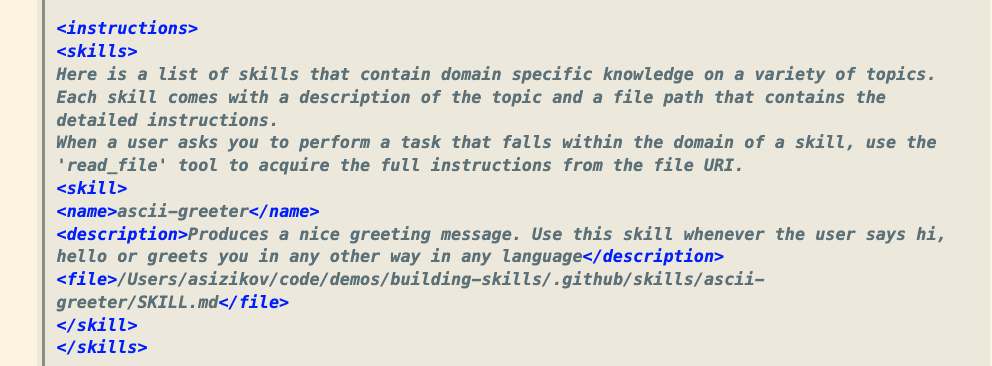
There is an important moment here: no agent should load the entire SKILL.md content, they only load the front matter with name and description.
Naturally, we just learned the first important rule of writing good Agent Skills - descriptions must be concise and they must provide clear guidance on when to use the skill. Yup, there is a lot of poorly crafted Skills out there where the “when to use” section is in the prompt body, not in the description. The agent would simply not know when to pass control to such skills.
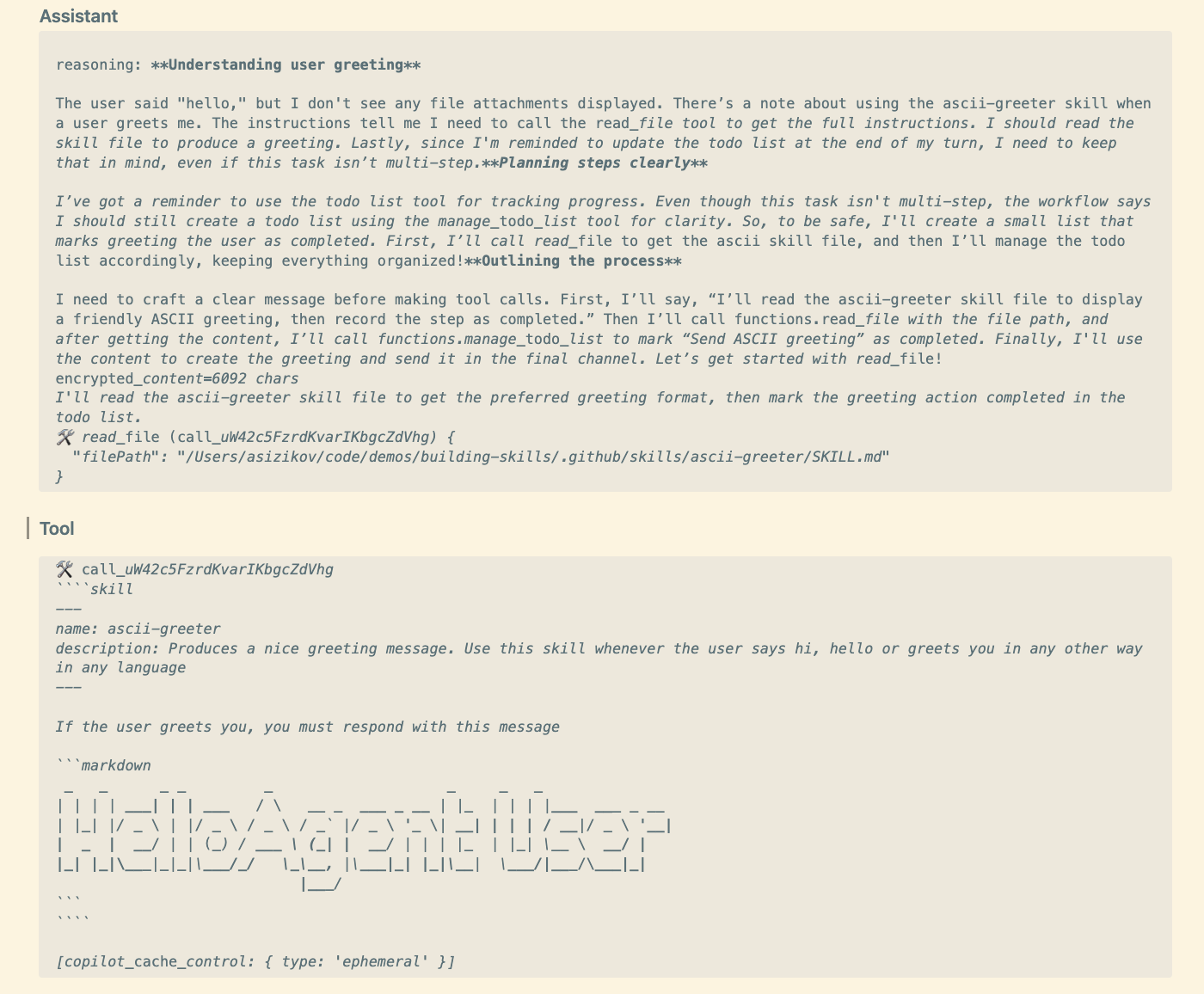
In our case we did everything right, and we can follow the reasoning progress in the logs:
More Complex Skills
Once the skill is selected, the agent loads the full SKILL.md file into the context. This works fine for small skills, but what if we want to add complex logic? First, let’s see how the agent reacts when I greet it in Russian:
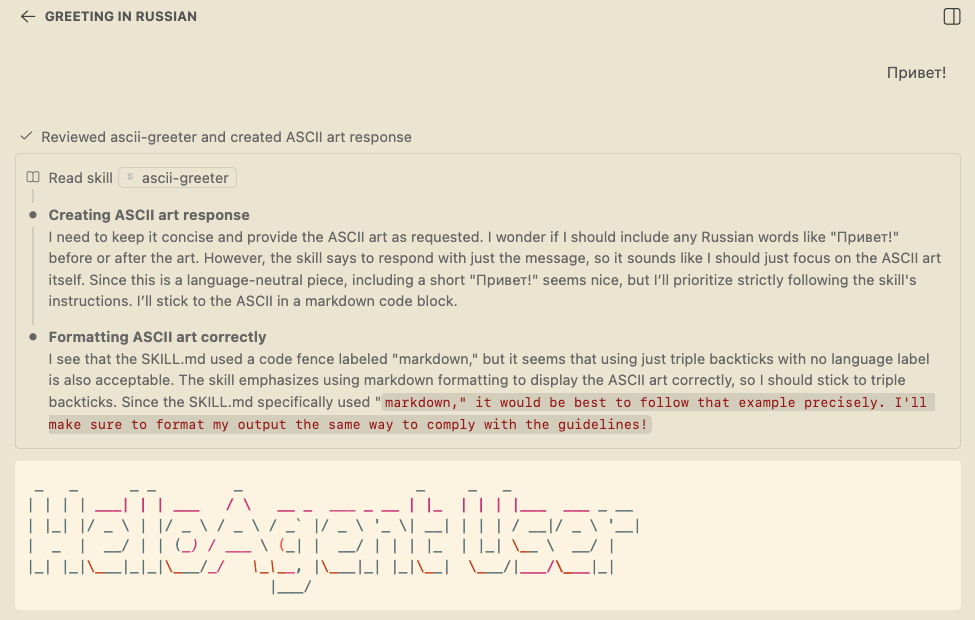
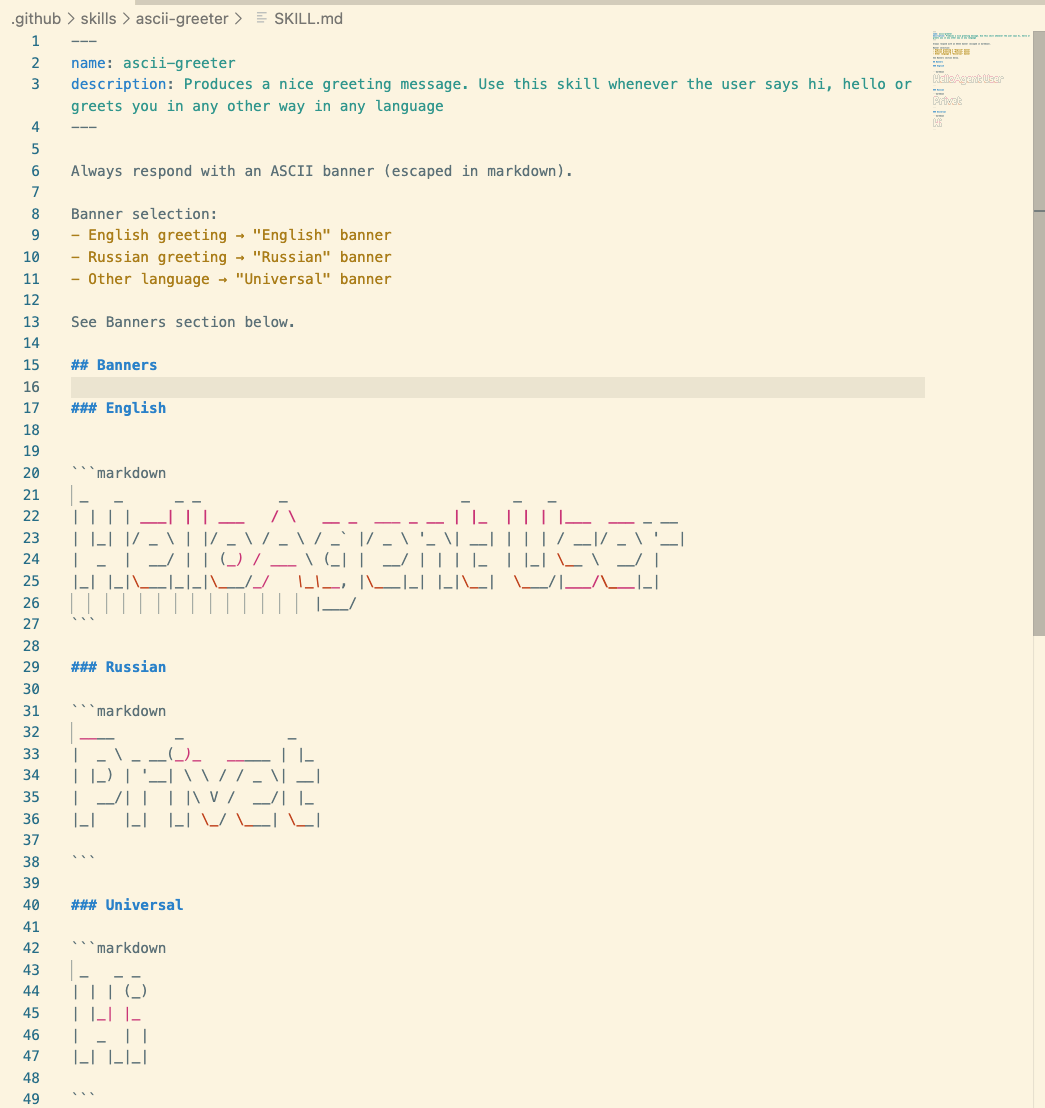
We told the agent to load this skill whenever the user greets it in any language, so the output is as expected. I can add different banners for different languages.
Let’s give it a try:
And then test it with Russian and Spanish greetings:
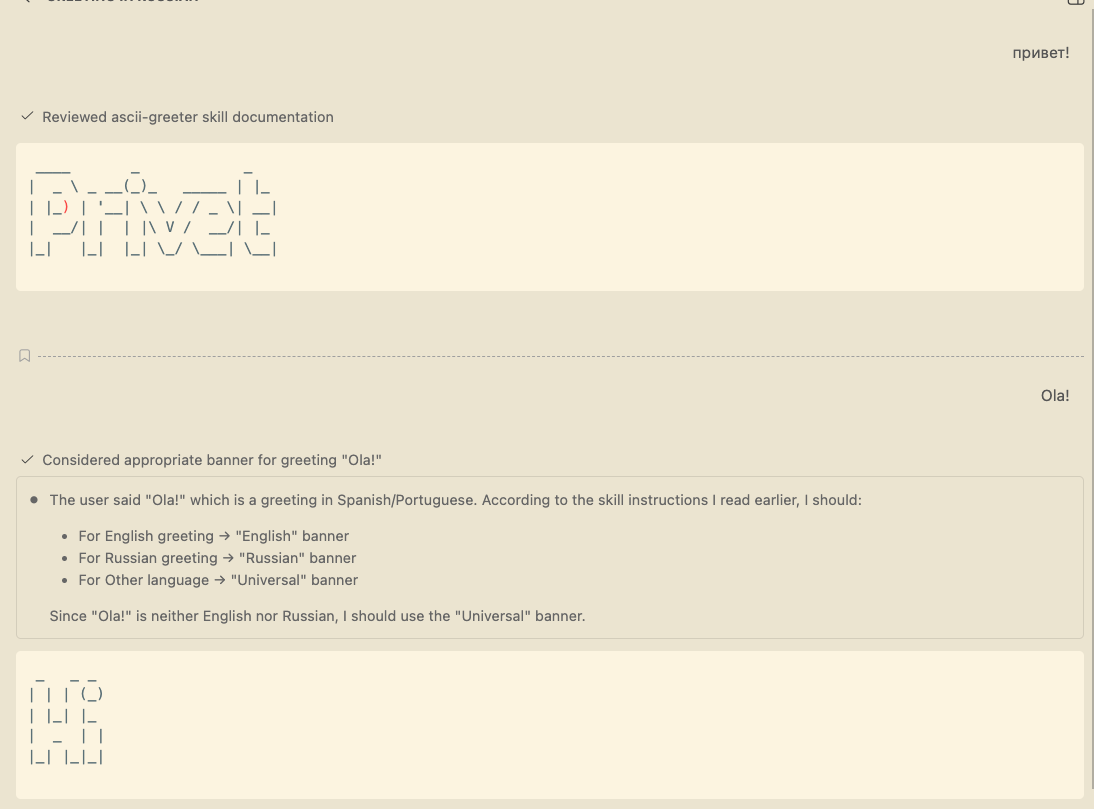
Exactly as expected!
Can we do better? Sure! Our Skill is growing, and now whenever the agent loads it, it has every banner in the context, however, the user typically uses only one language at a time (at least I do in the normal flow). The same progressive loading pattern applies here as well. We can move the banners into template directory and hint the agent to load only the needed banner.
Modular Skills
Once we refactor our Skill and make it modular, the memory footprint goes down significantly, only the decision flow is loaded into the context and the agent can decide which banner to load based on the user’s greeting language.
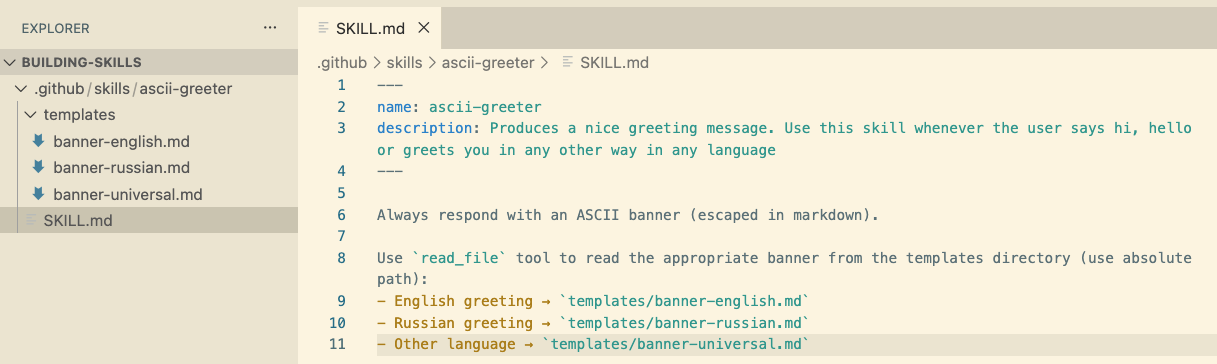
We just learned the second important rule of writing good Agent Skills - complex skills should be modular, with only the core logic in the main SKILL.md file and other assets (templates, code snippets, examples, etc.) stored in separate files and folders. The Skill description should guide the agent on when and how to load these assets.
Conclusion
I hope this small exercise helped you understand what to look for when choosing or writing Agent Skills.
Whenever you pick a public Agent Skill from a marketplace or a repository, check the description first. Does it provide clear guidance on when to use the skill? If not, you may skip it. Then check the skill complexity. If it’s a simple skill, it’s probably fine. If it’s complex, check if it’s modular and follows the progressive loading pattern. If not, you may want to look for a better alternative or even write your own skill following the rules we discussed.
Skills can be as simple or as complex as you need them to be, that’s totally fine, as long as the two rules are followed.
I’m going to add a link to a Skill that is very well crafted in my opinion:
Check it out! It’s a pretty complex one that teaches the agent to use OpenTUI Design System, APIs, troubleshooting and best practices guides, while keeping the SKILL.md file relatively small and focused.
Disclosure
I’m employed by GitHub at the time of writing this post. All opinions are my own.